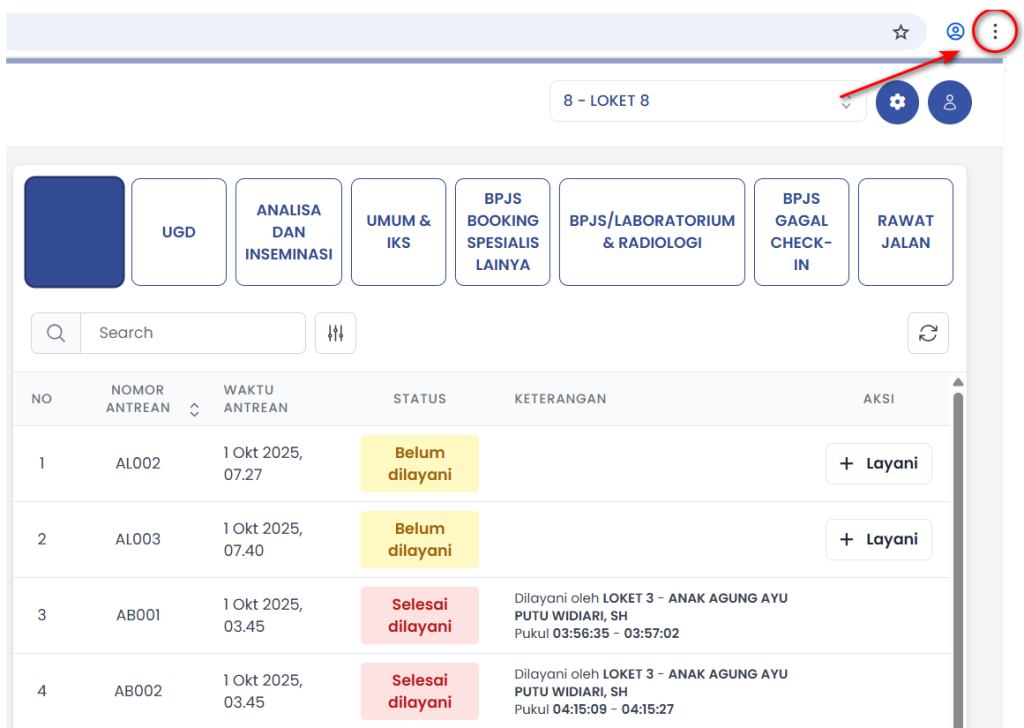
- Lakukan Reset dengan memilih icon pada pojok Kanan atas
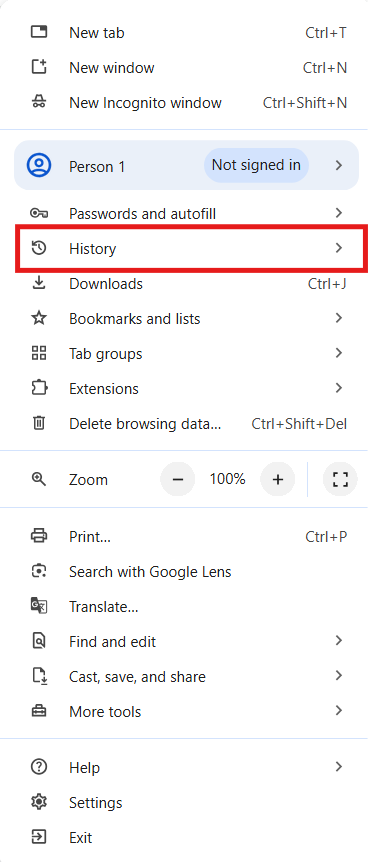
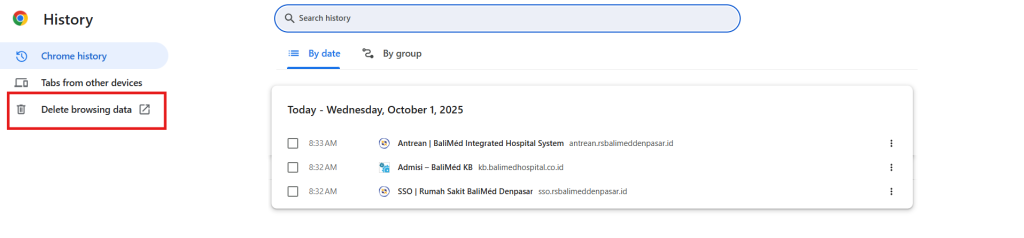
b. Pilih History
c. Pilih History
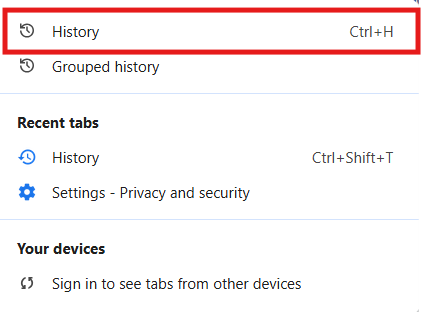
- Pilih Delete Browsing Data
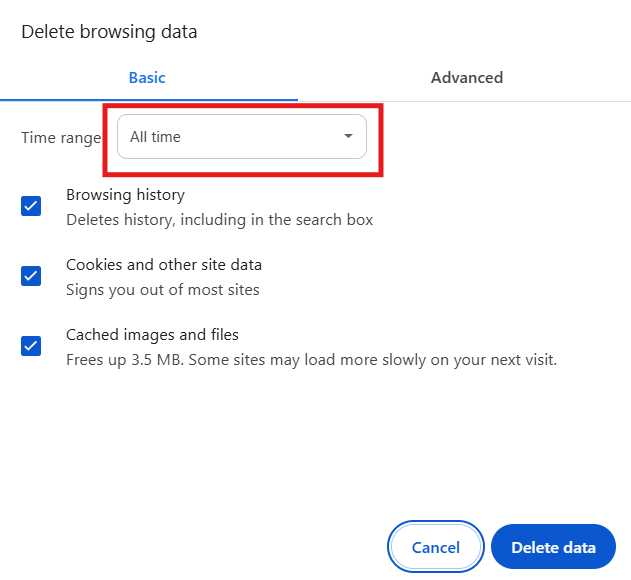
d. Pilih All Time
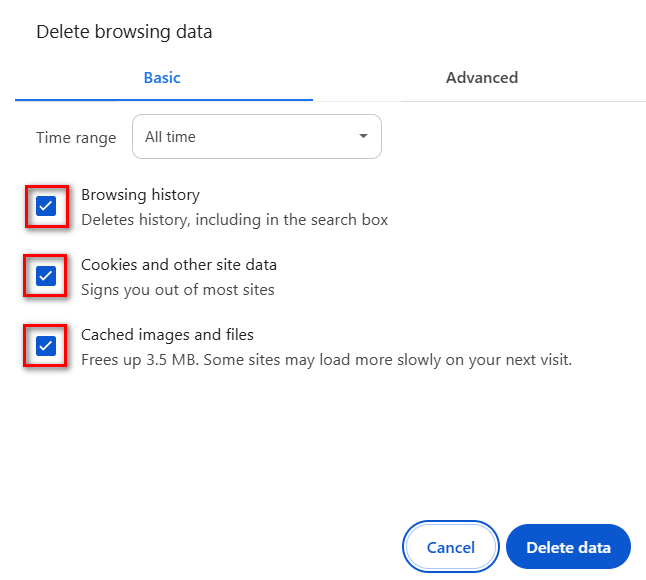
e. Centang semua pilihan
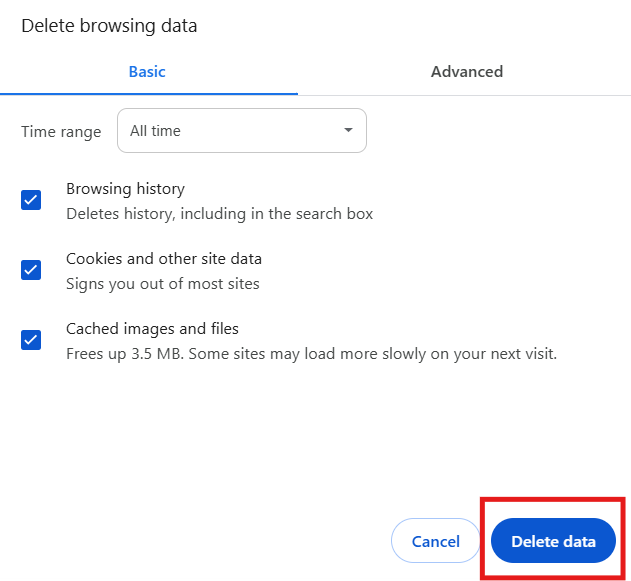
f. Pilih Delete Data
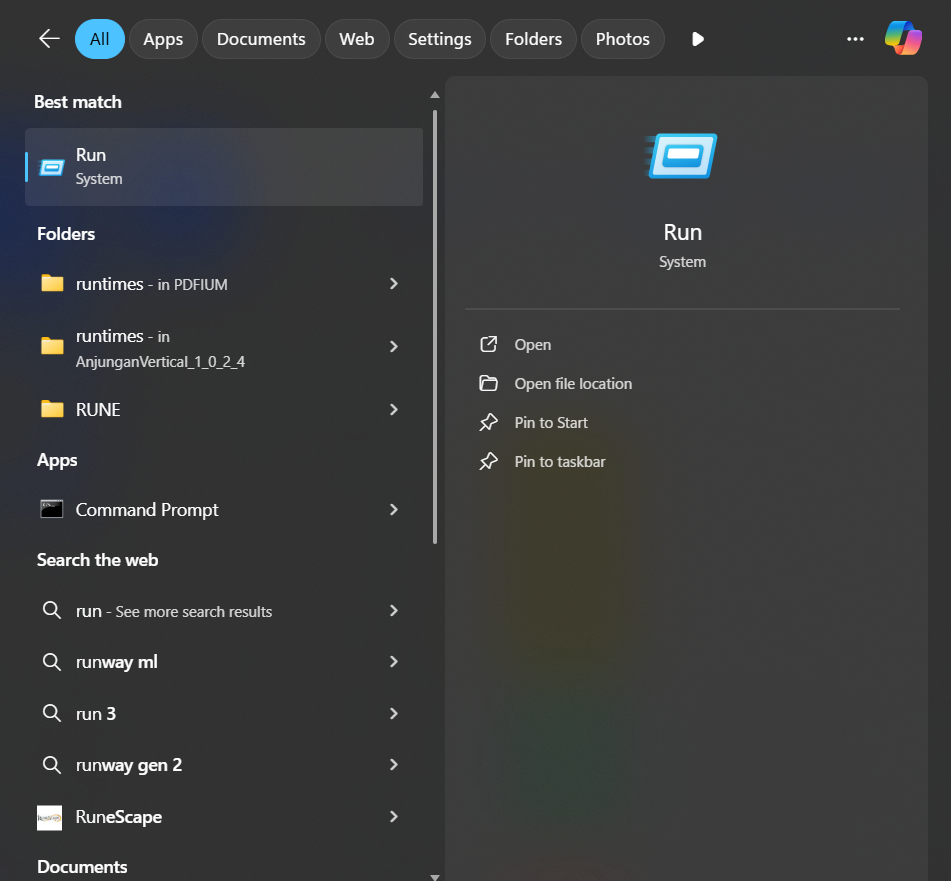
g. Untuk melakukan Clear Cache pada komputer, ketik Run pada kolom search Taskbar lalu pilih Run
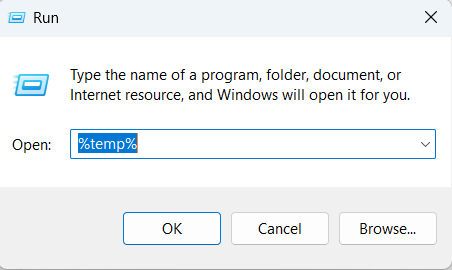
h. Ketik %temp% lalu pilih OK
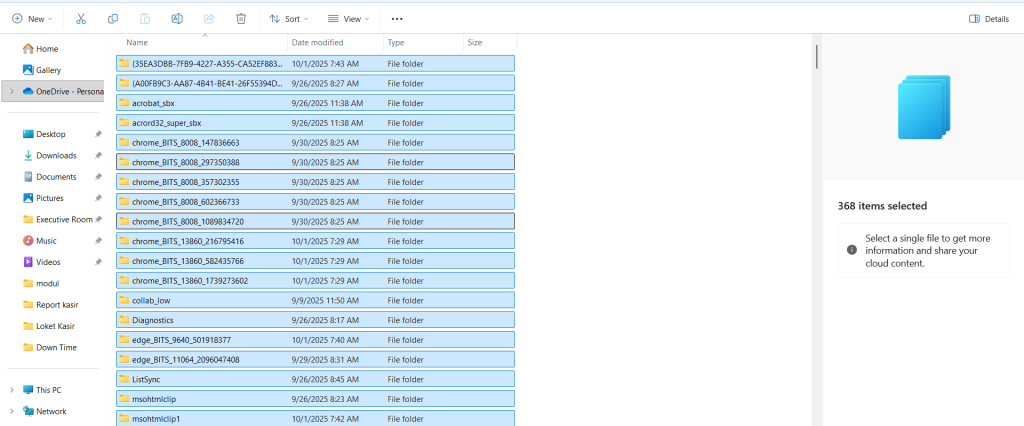
i. Setelah masuk ke tampilan file, select semua file lalu delete
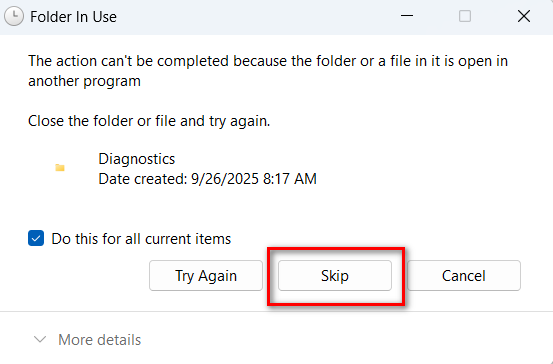
j. Jika muncul popped up seperti ini, centang kotak
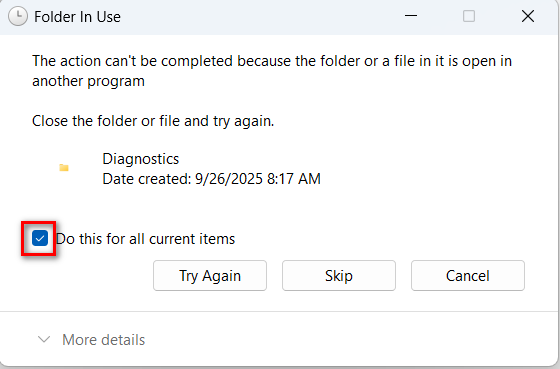
k. Pilih Skip